Appearance
The cart list
The cart is your running shopping list, built from the recipes you're planning to cook.
Adding to the cart
From a recipe, add its ingredients to your cart. Cooking a few things this week? Add them all, and the cart collects what you need to buy.
You'll find the cart from the cart icon in the top bar — it's there wherever you are in the app, so you can add as you browse and check it when you head to the store.
Using the cart
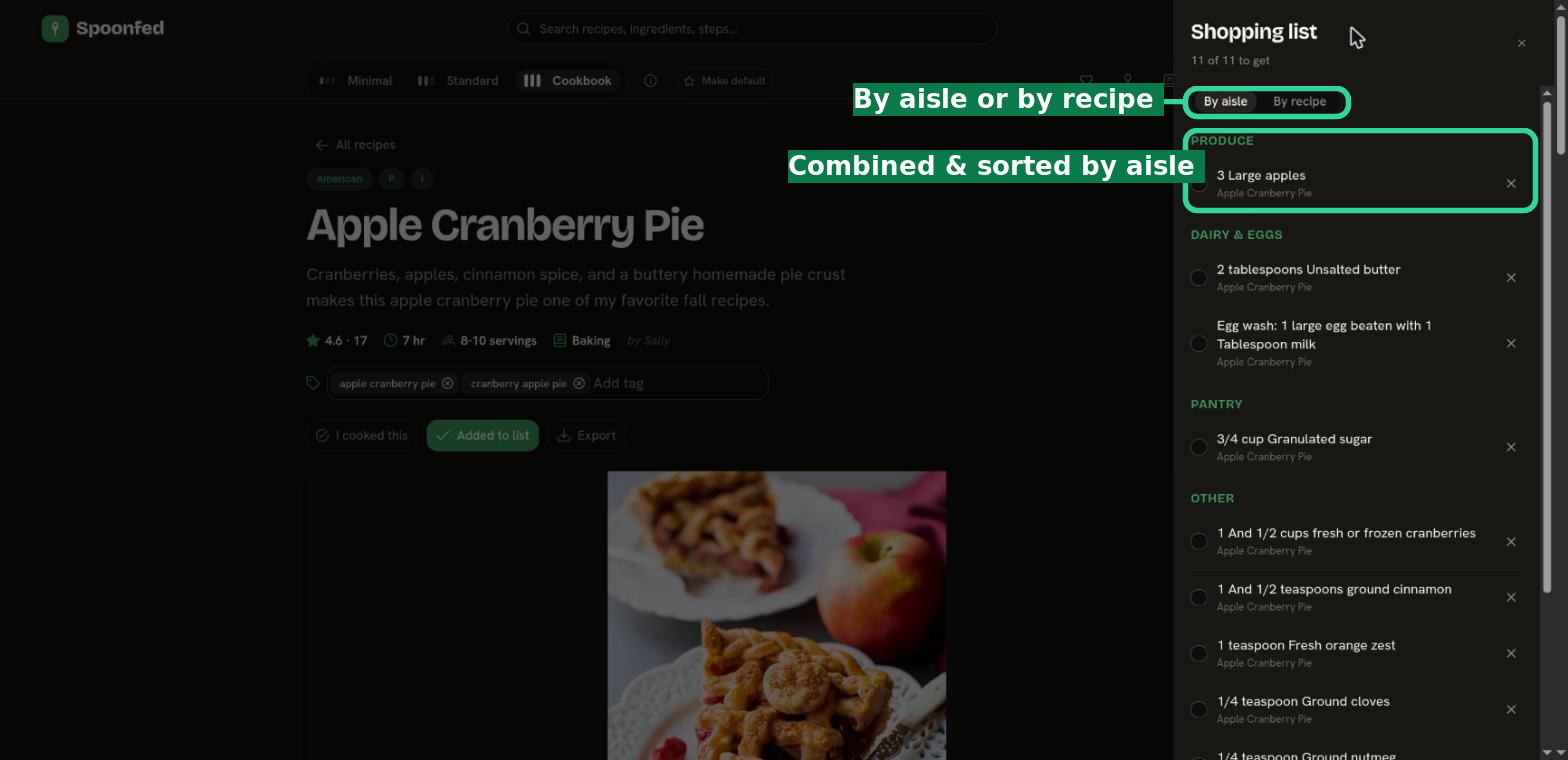
Open the cart to see everything you've added. Ingredients from every recipe are combined into one list, and you can view them by aisle (so shopping flows aisle to aisle) or by recipe. Each item shows which recipe it came from, and you can check it off or remove it as you shop.
TIP
Think of the cart as the bridge between planning and cooking: queue recipes into To Be Cooked, then send their ingredients to the cart when you're ready to shop.