Appearance
Getting started
Welcome to Spoonfed — a calm home for the recipes you actually cook. This guide walks you through getting in and finding your way around.
Signing in
Spoonfed is invite-only right now, so how you start depends on where you're at:
- New here? You'll need an invitation link — it takes you to a short sign-up form.
- Already have an account? Use Log in.
- Forgot your password? Use Forgot password and we'll email you a reset link.
Choosing a household
Your recipes live in a household — a shared space you can keep to yourself or share with the people you cook with. When you sign in, you'll land in your household automatically. If you belong to more than one, you can switch between them from the household picker.
More on this in Households, roles & invites.
The recipe browser
After signing in you land on the main recipe browser. A few things to know:
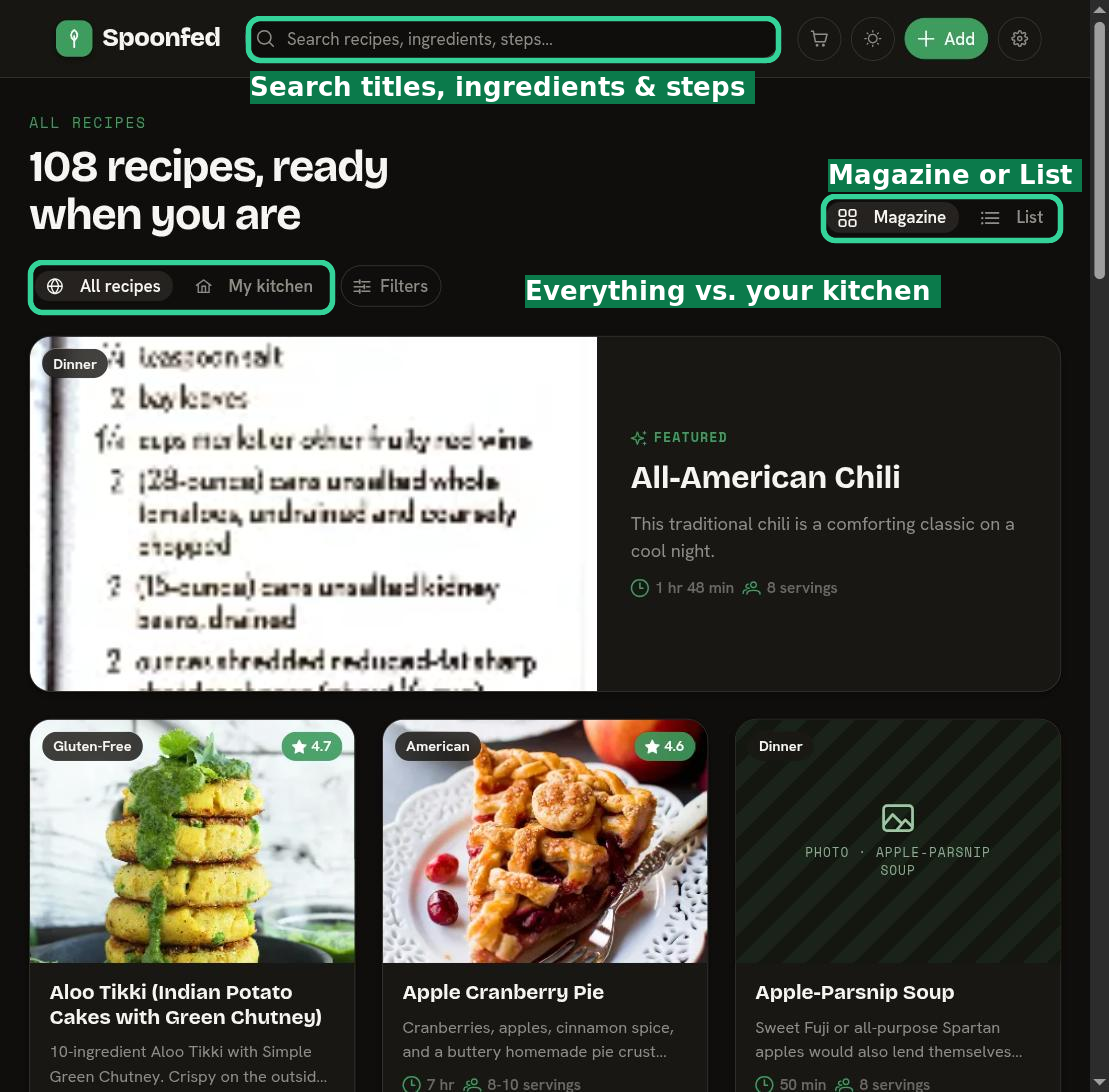
- All recipes vs My kitchen — toggle between the wider catalog (All recipes) and just what's in your own kitchen (My kitchen).
- Magazine and List views — switch between a visual Magazine grid and a compact List.
- Search — the search bar at the top finds recipes by title, ingredients, and steps.
- Filters — narrow the list down by the facets that matter to you.
See Browsing & finding recipes for the details.
What to do next
- Import a recipe from a link, a photo, or pasted text.
- Create or edit a recipe from scratch.
- Organize your library with Favorites, To Be Cooked, and custom cookbooks.