Appearance
Households, roles & invites
A household is the shared space your recipes live in. It can be just you, or you and the people you cook with.
Roles
Everyone in a household has a role that sets what they can do:
- Owner — the person the household belongs to. Owners have full control, including household settings and managing who's a member.
- Admin — a trusted helper who can manage the household's members and content.
- User — a member who can use the household's recipes, build cookbooks and carts, and add their own notes.
If you're setting up a household for your family, you'll be the Owner; the people you invite are Users (and you can promote someone to Admin to share the load).
Inviting people
Spoonfed is invite-based. From your household's members area you can invite someone to join your household — they'll get an invitation link, and once they accept, they're in and share your recipes.
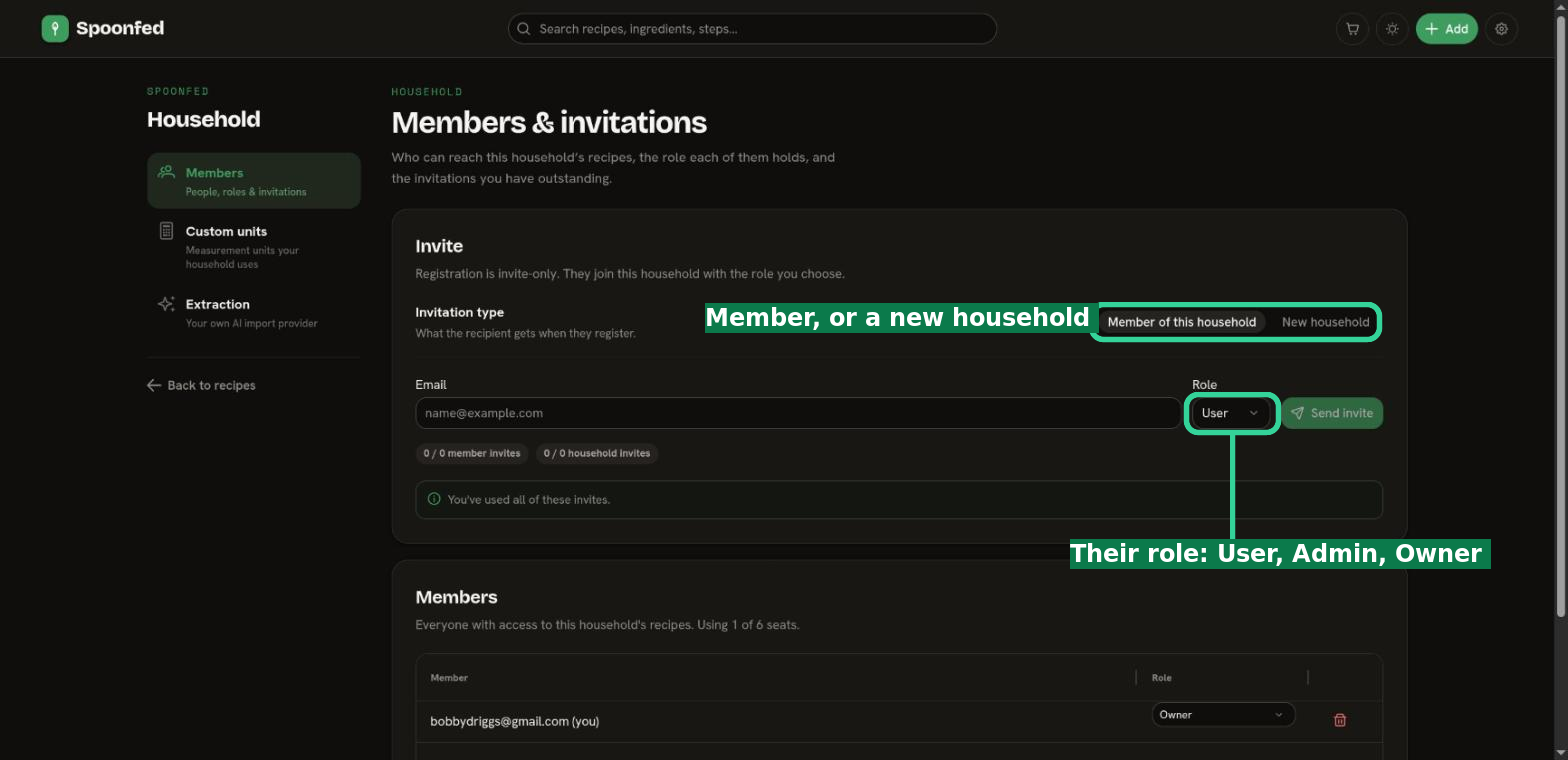
Invitations are limited by a quota, so invite the people you actually cook with.
INFO
There are a couple of other invitation kinds behind the scenes (for founding a brand-new household of your own, for example). For everyday use, the one you'll reach for is inviting a member to your household.
Household settings
Owners manage the household's settings from the Manage area — the options that apply to everyone in the household. See Your account & workspace for where to find them.